How to Change Thorg Configuration Value
Thorg configuration/settings are changed through VSCode settings.
Open Settings
- Open Command Palette (How to: Open Command Palette)
- In the Command Palette, search for
Preferences: Open Settings (UI) - Press Enter
Filter for Thorg Settings
In the Settings search box, type thorg to filter for Thorg settings.
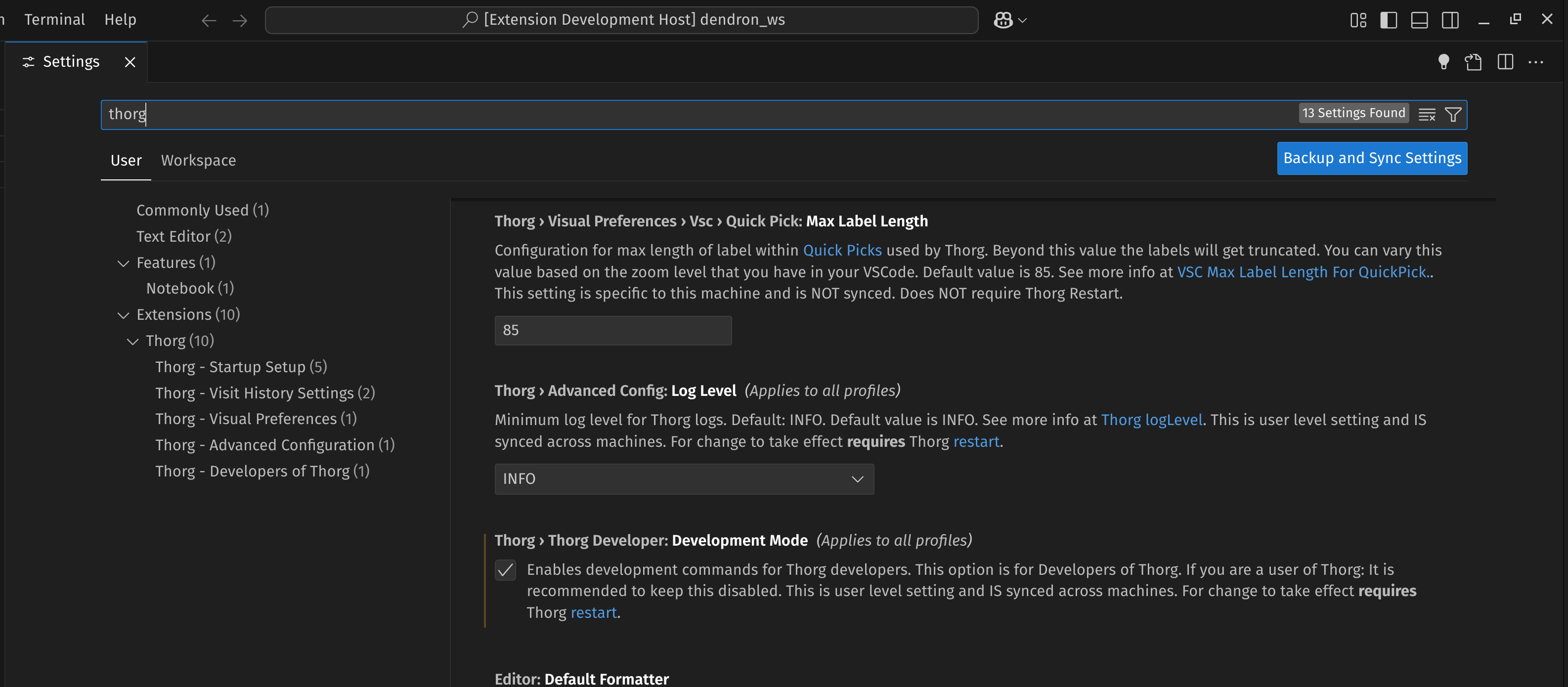
Through Search (if you know what you're looking for)
If you know what you're looking for, start typing the search term. VSCode settings will auto-update.
Tip: Typing less in Settings leads to more precise results
As of 2025, typing less in VSCode settings is likely to yield better results than typing the full phrase, as it avoids overmatching unrelated terms.
For example if you type in
thorg min visitation
You'll get the single setting for thorg.visitHistory.minVisitationFocusTimeMillis - VSCode Config (Default: 3 seconds).
However, if you type the full setting name:
thorg min visitation focus time millis
You'll get matches unrelated to Thorg.
Through Tree (if you're exploring)
If you don't know which settings you're looking for and want to explore available Thorg settings:
On the left-hand side in Settings, you'll see a tree view. Look under Thorg for configuration sections.
More info
- How to Restart Thorg for Config Changes - Most settings require a restart to take effect in early iterations of Thorg.
Children
Backlinks
- Configuration
- Thorg Configuration/Settings
- Thorg Setting Values
- thorg.startupSetup - VSCode Config Section
- thorg.visitHistory - VSCode Config Section
- thorg.advancedConfig.logLevel - VSCode Config
- thorg.startupSetup.javaExecutablePath - VSCode Config
- thorg.startupSetup.machineName - VSCode Config
- thorg.startupSetup.serverMaxHeapSpaceMB - VSCode Config
- thorg.startupSetup.thorgUsername - VSCode Config
- thorg.visitHistory.autoUnfocusTtlSeconds - VSConfig (Default: 180 seconds)
- thorg.visitHistory.minVisitationFocusTimeMillis - VSCode Config (Default: 3 seconds)